01
Start with profile setup
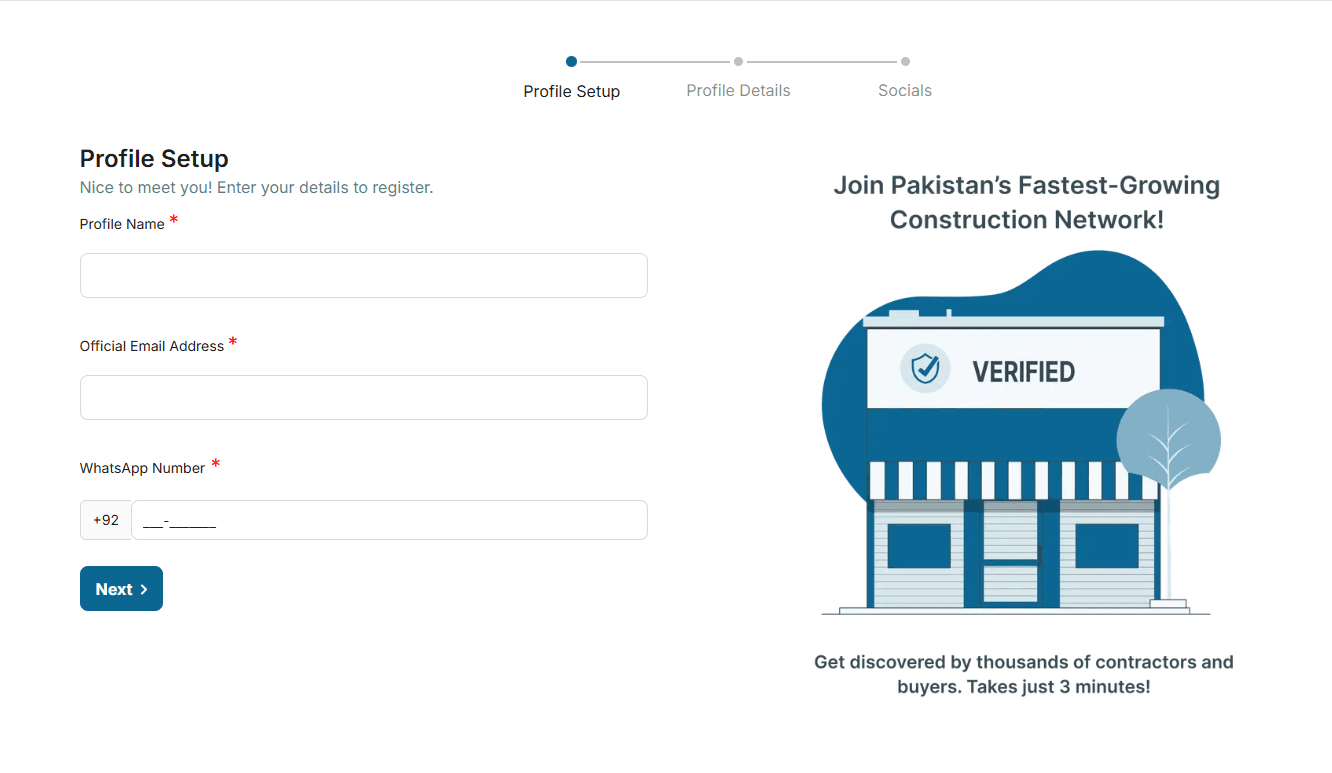
Add your shop profile image, banner, shop name, official email, phone number, and optional NTN details.
- Shop name
- Official email
- Phone or WhatsApp number
- Profile image and banner
Profile Setup

Registration document
Follow the screenshots and checklists below to register as a marketplace supplier or builder. Each step matches the actual registration flow used on Tameer.ai.
For shops, suppliers, distributors, and material businesses.
For builders, contractors, architects, consultants, and service providers.
Prepare profile images, business details, contact channels, and location information.
Preparation checklist
Registration is smoother when the required profile and business information is ready before you open the form.
For suppliers and shop owners
Use this workflow when you want to register a construction material shop, supplier, distributor, or marketplace business on Tameer.ai.
Add your shop profile image, banner, shop name, official email, phone number, and optional NTN details.
Profile Setup
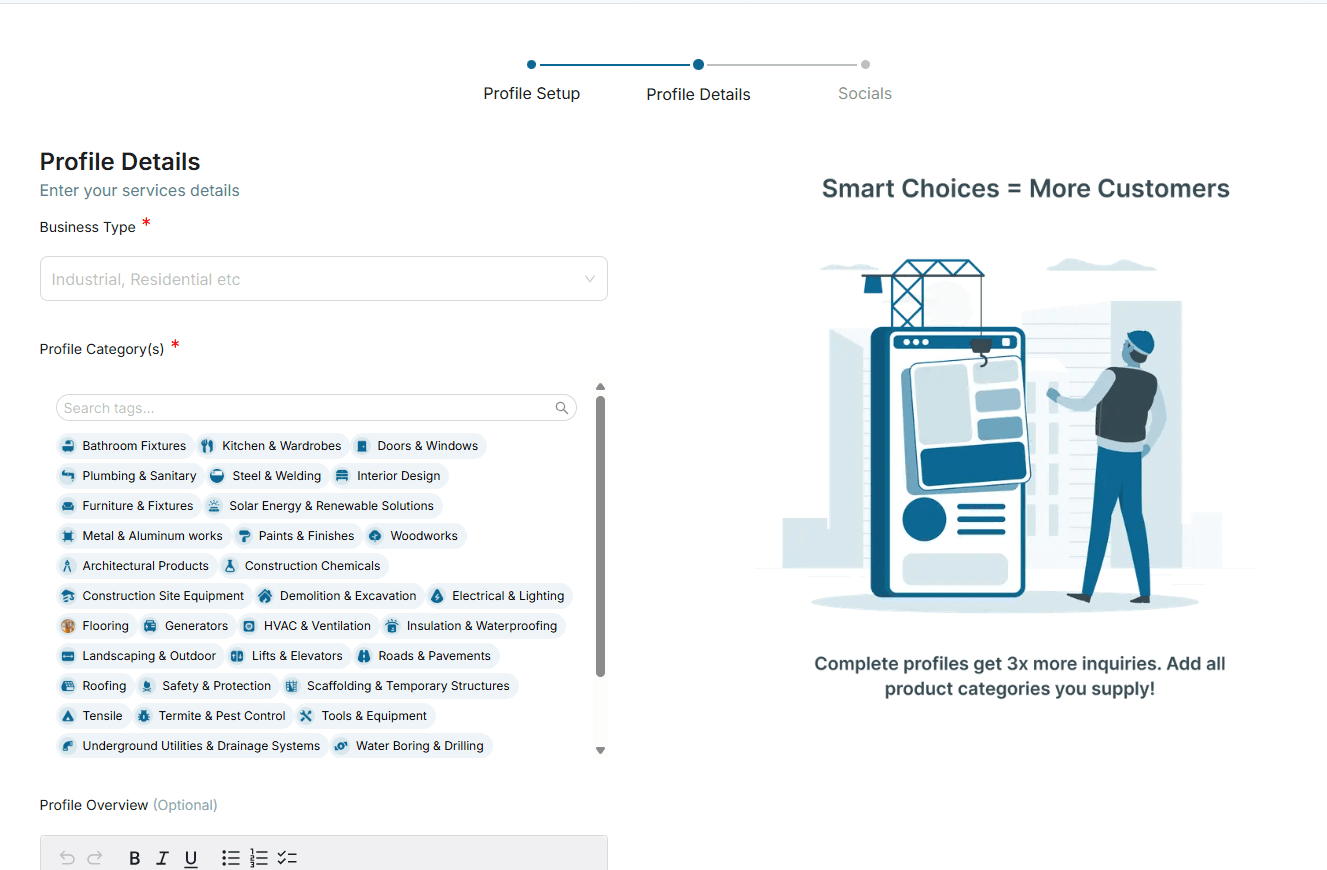
Add the business location, categories, service area, and other details that help customers find the right supplier.
Profile Details
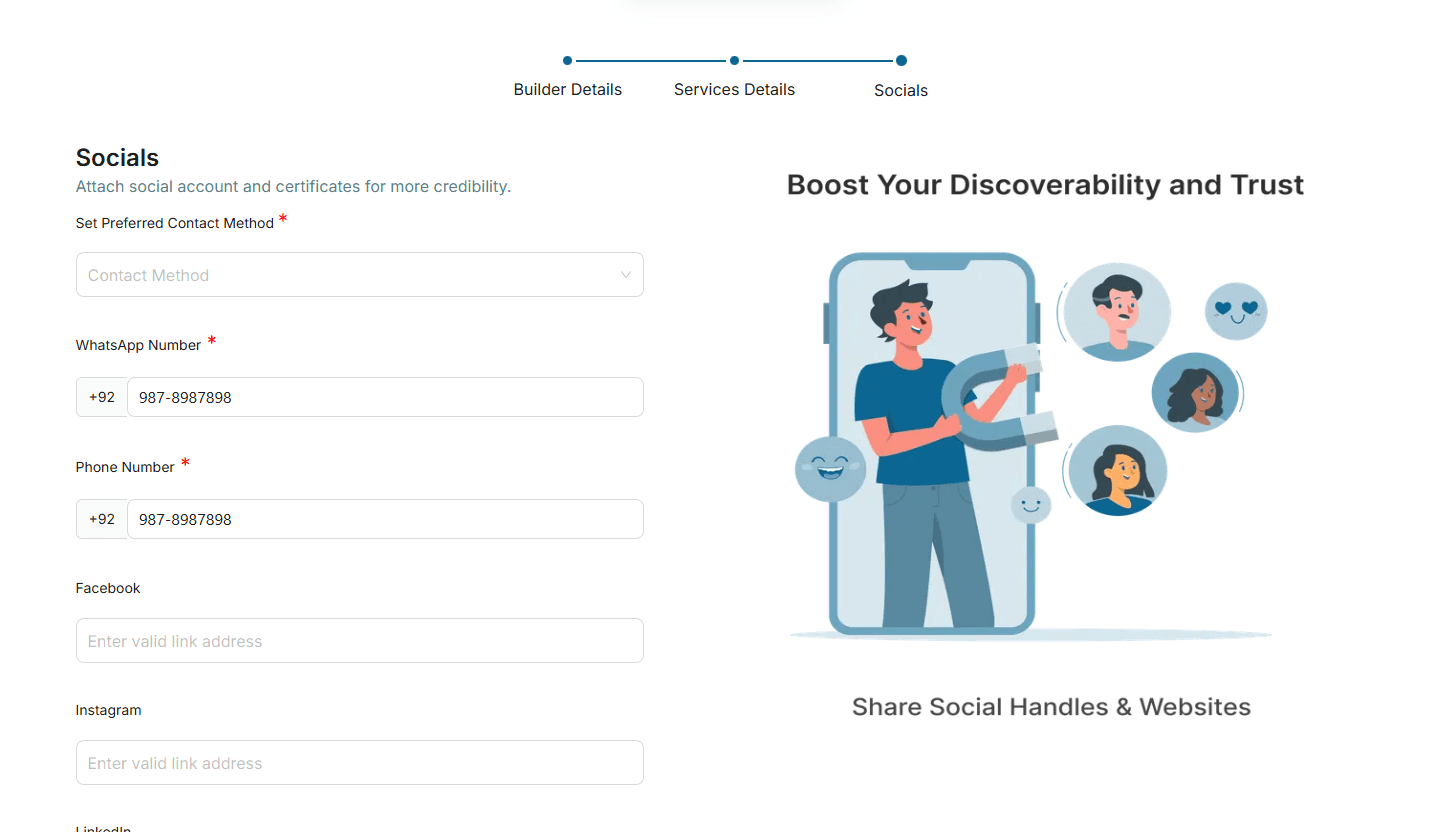
Add social links or Tameer.ai chat details, then submit the profile so the team can review and approve it.
Socials
For builders and service providers
Use this workflow when you want to register a builder, contractor, architect, consultant, or construction service profile.
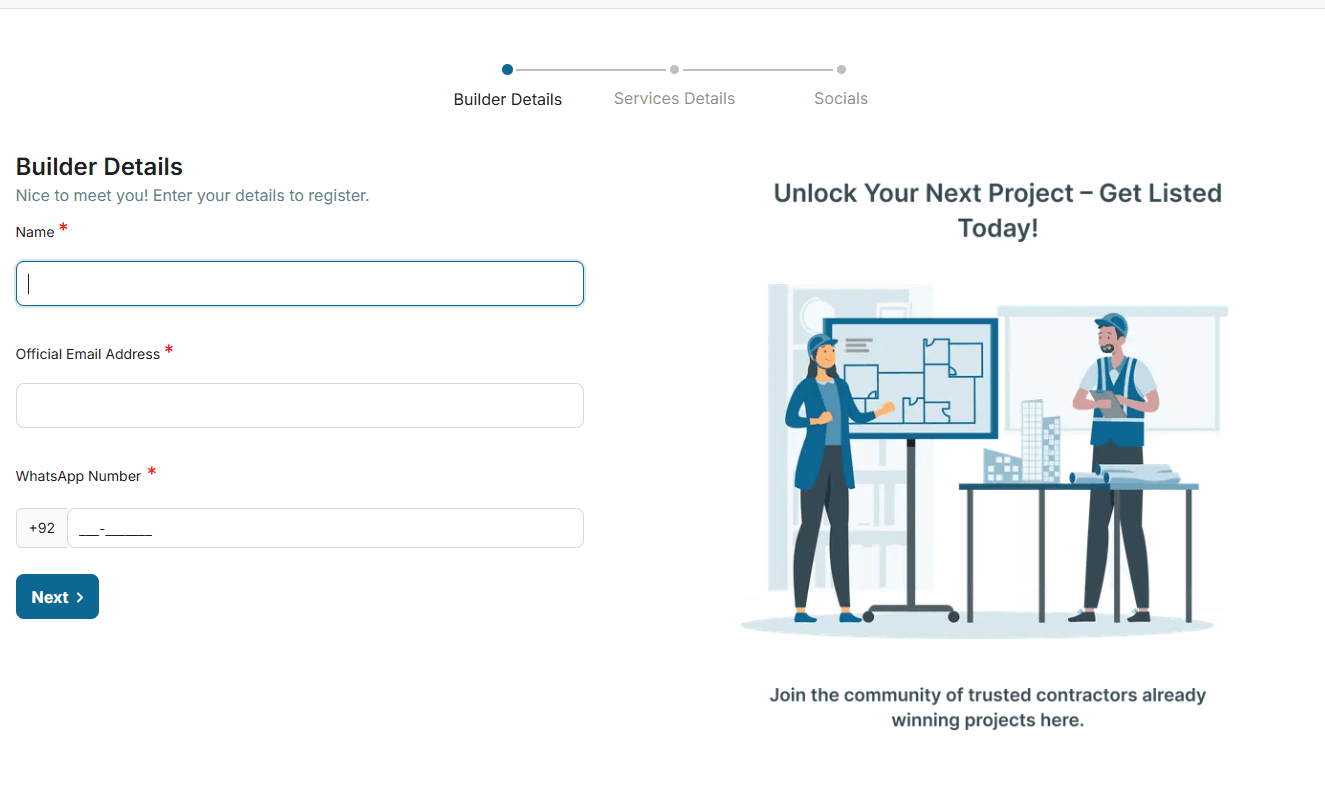
Start by adding the builder name, official email, WhatsApp number, profile image, banner, and optional NTN.
Builder Details
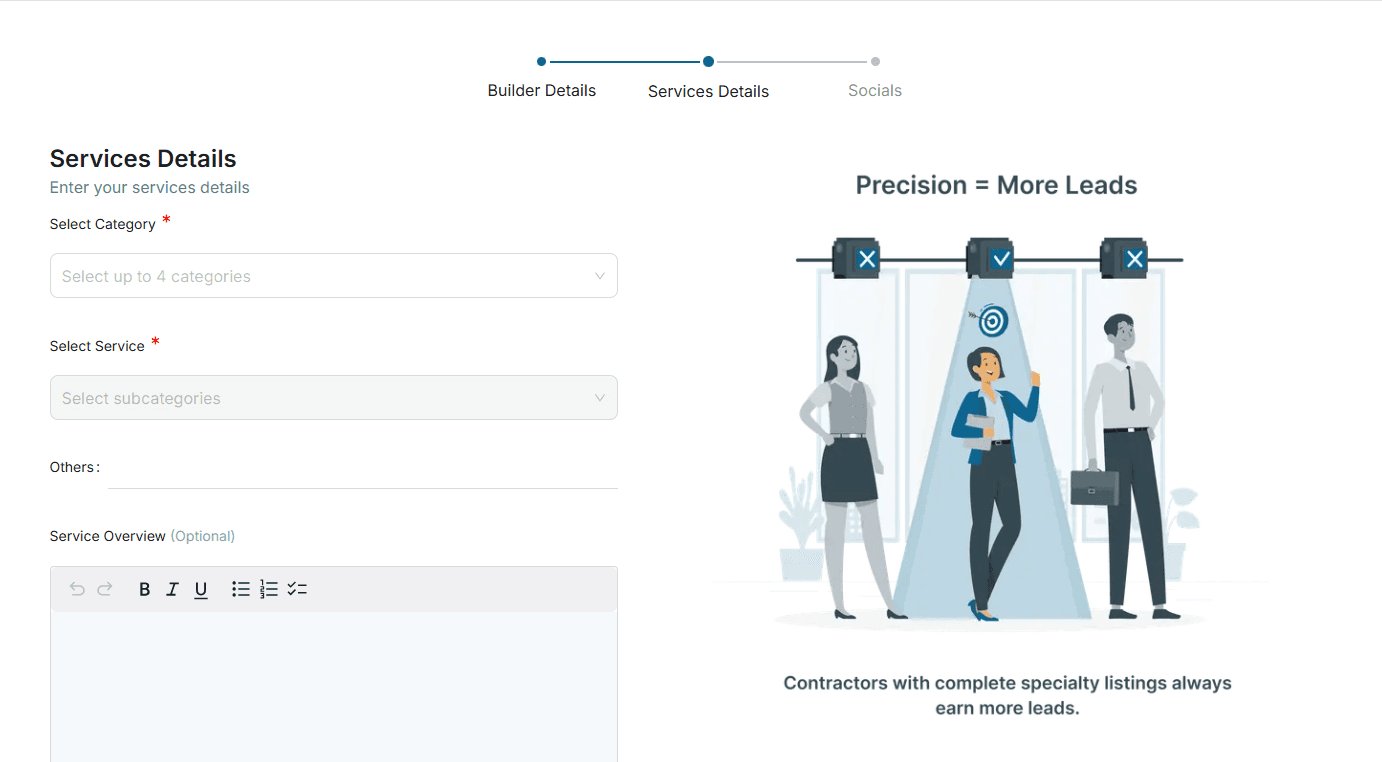
Choose service categories, location, area of coverage, and professional details so customers can match with you.
Services Details
Add social links and final contact channels, then submit the builder profile for review and dashboard access.
Socials
Registration document
Follow the screenshots and checklists below to register as a marketplace supplier or builder. Each step matches the actual registration flow used on Tameer.ai.
For shops, suppliers, distributors, and material businesses.
For builders, contractors, architects, consultants, and service providers.
Prepare profile images, business details, contact channels, and location information.
Preparation checklist
Registration is smoother when the required profile and business information is ready before you open the form.
For suppliers and shop owners
Use this workflow when you want to register a construction material shop, supplier, distributor, or marketplace business on Tameer.ai.
Add your shop profile image, banner, shop name, official email, phone number, and optional NTN details.
Profile Setup
Add the business location, categories, service area, and other details that help customers find the right supplier.
Profile Details
Add social links or Tameer.ai chat details, then submit the profile so the team can review and approve it.
Socials
For builders and service providers
Use this workflow when you want to register a builder, contractor, architect, consultant, or construction service profile.
Start by adding the builder name, official email, WhatsApp number, profile image, banner, and optional NTN.
Builder Details
Choose service categories, location, area of coverage, and professional details so customers can match with you.
Services Details
Add social links and final contact channels, then submit the builder profile for review and dashboard access.
Socials
